
Online Vehicle Verification in Punjab 2025
The Punjab Excise and Taxation Department has implemented the Motor Transport Management Information System (MTMIS) to streamline the vehicle verification process in Punjab. This system allows individuals to easily access important information about registered vehicles, ensuring transparency and reducing the risk of fraud.
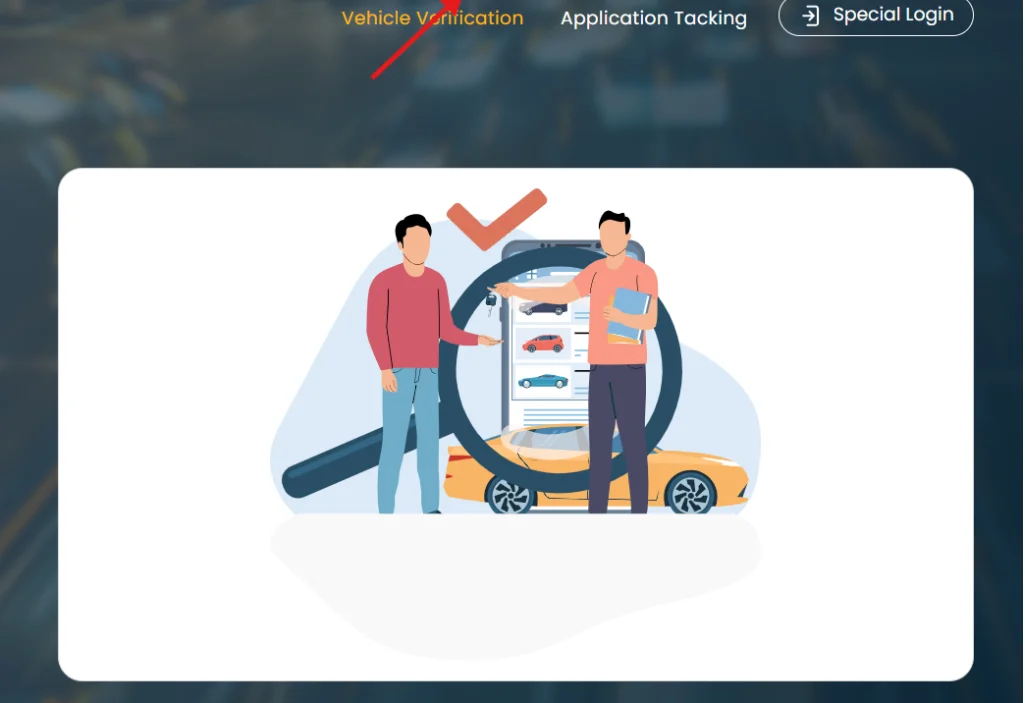
Online MTMIS Punjab Vehicle Verification Steps:
Verifying a vehicle through the MTMIS is straightforward and can be done online. Here’s a step-by-step guide:
- Visit the MTMIS Website: Open your web browser and go to the official MTMIS Punjab website.
- Navigate to Vehicle Verification: Click on the “Vehicle Verification” tab located on the homepage.
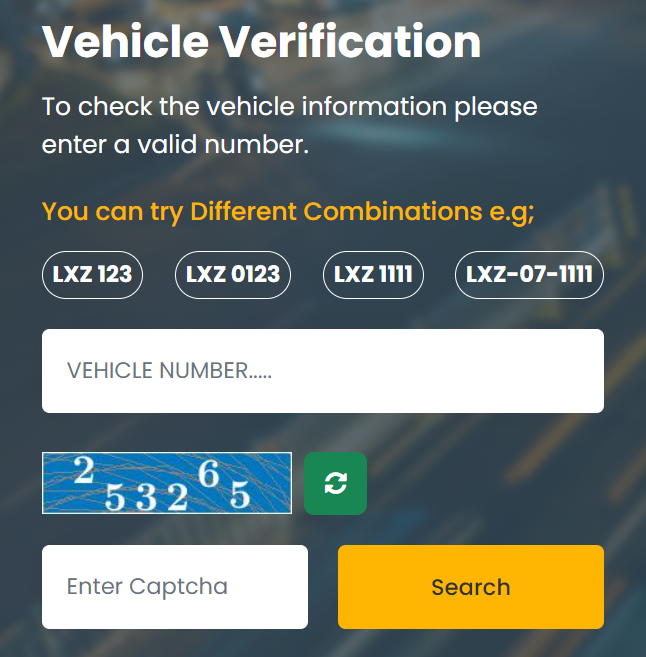
- Enter Registration Details: Input your vehicle’s registration number in the designated field.
- Complete Captcha Verification: Enter the verification code as prompted.
- Click on “Search”: Once you have filled in the required information, click the “Search” button.
If your vehicle is registered, the system will display essential details, including:
- Owner’s name
- Vehicle make and model
- Engine and chassis numbers
- Tax payment status
- Registration date
Offline Verification Method
For those unable to verify online, an offline method is available:
- Visit Excise and Taxation Office: Go to your local Excise and Taxation Department office in Punjab.
- Bring Required Documents: Present your original vehicle registration book and a copy of your CNIC (Computerized National Identity Card).
- Obtain Verification Certificate: An officer will verify your vehicle’s registration and issue a verification certificate, valid for one month.
Importance of Vehicle Verification
Verifying a vehicle’s registration is critical for several reasons:
- Fraud Prevention: It helps potential buyers confirm that a vehicle is not stolen or involved in illegal activities.
- Tax Compliance: Buyers can check if there are any outstanding taxes or fines associated with the vehicle, preventing future legal issues.
- Transparency in Transactions: The system promotes trust between buyers and sellers by providing accurate ownership details.
How to Perform Punjab Vehicle Verification by CNIC
Steps for Vehicle Verification by CNIC
- Visit the Official Website: Go to the Punjab Excise and Taxation Department’s vehicle verification portal at excise.gos.pk.
- Select Vehicle Type: Choose between “Four Wheeler” or “Two Wheeler” based on the type of vehicle you want to verify.
- Enter CNIC Number: Input the CNIC number of the vehicle owner in the designated field. Ensure that you enter it without any spaces or dashes.
- Click on Search: After entering the CNIC number, click the “Search” button to initiate the verification process.
- Review Results: The system will display details related to vehicles registered under that CNIC, including:
- Owner’s name
- Vehicle registration status
- Engine and chassis numbers
- Model and make of the vehicle
Important Notes
- Ensure that the CNIC number entered is accurate to avoid discrepancies in results.
- If you encounter any issues or discrepancies, contact the Punjab Excise and Taxation Department for assistance.
- This online verification method is quick and helps prevent fraud by confirming ownership and registration details before any transactions.
By following these steps, you can efficiently verify a vehicle’s registration status using a CNIC in Punjab, ensuring a secure and informed transaction process.
Benefits of Using MTMIS for Vehicle Verification
- Fraud Prevention: MTMIS allows potential buyers to verify ownership and registration details before purchasing a vehicle, significantly reducing the risk of fraud and scams.
- Time and Cost Savings: The online platform eliminates the need for physical visits to government offices, saving both time and travel expenses for users.
- Instant Access to Information: Users can quickly obtain accurate and up-to-date vehicle information, including ownership history, tax status, and specifications, all from the comfort of their homes.
- Legal Compliance: The system ensures that vehicles are registered correctly and that all taxes are paid, helping users avoid legal issues associated with unregistered or improperly documented vehicles.
- Enhanced Transparency: By providing clear and accessible information about vehicle registrations, MTMIS promotes transparency in vehicle transactions, fostering trust between buyers and sellers.
- Support for Law Enforcement: The platform aids law enforcement agencies in tracking stolen vehicles and enforcing traffic laws more effectively by providing immediate access to vehicle records.
- Pre-sale Preparation: Sellers can provide verified information to potential buyers, making the sales process smoother and more trustworthy.
- Insurance Claims Support: Accurate vehicle details can be easily accessed for insurance claims, ensuring that claims are processed efficiently.
- User-Friendly Interface: The MTMIS is designed to be intuitive, making it easy for users of all ages to navigate the system without technical difficulties.
- Comprehensive Record Keeping: MTMIS maintains detailed records of vehicle ownership and tax payments, which can be crucial for resolving disputes or verifying information in future transactions
To perform vehicle verification in Punjab using your Computerized National Identity Card (CNIC), follow these straightforward steps:
Common Issues in MTMIS Punjab Vehicle Verification and Solutions
- “Vehicle Not Found” Error:
- Verify that the registration number is entered correctly.
- Confirm that the vehicle is registered in Punjab.
- If the issue continues, contact the Excise Department for assistance.
- Outdated Information:
- Visit your local Excise office to obtain the most current vehicle details.
- Server Downtime:
- If you experience issues, try again later or check for any scheduled maintenance announcements.
- Incomplete Information:
- Some records may be missing due to incomplete digitization.
- For comprehensive information, reach out to the Excise Department directly.
These steps can help resolve common verification problems while using the MTMIS Punjab platform.
Punjab Vehicle Verification App
As of 2025, the Punjab Excise and Taxation Department has launched a mobile app for vehicle verification, enhancing accessibility and convenience for users. Here are the key features and usage instructions:
Key Features of the Punjab Vehicle Verification App
- Easy Access: Quickly check vehicle information on the go.
- Push Notifications: Receive timely reminders for tax payments.
- User-Friendly Interface: Simplifies the verification process for all users.
How to Use the App
- Download: Find the app in your device’s app store (available for both Android and iOS).
- Register: Create an account using your CNIC.
- Verify Vehicles: Start verifying vehicle details effortlessly.
This app provides a convenient way to ensure compliance with local regulations and helps users stay informed about their vehicle’s status. For more information, visit the official MTMIS Punjab website or download the app directly.
Application Tracking in MTMIS Punjab
The Application Tracking feature introduced by MTMIS Punjab provides users with essential details regarding their vehicle registration applications. Here’s what you can find:
Owner Details:
- Owner Name
- Father/Husband Name
Application Details:
- Process Name
- Phase Name
- Phase Status
- Application Process
Vehicle Details:
- Engine Number
- Year of Manufacture
- Make of Vehicle
Users can easily access this information by entering their application number and chassis number on the MTMIS platform. This feature enhances transparency and keeps applicants informed about the status of their vehicle registration process.
MTMIS Punjab Vehicle Registration Details
The following information is provided regarding vehicle registration:
Registration Information:
- Registration Number
- Engine Number
- Make, Model, and Color of the Vehicle
- Year of Manufacture
- Registration Date
- Vehicle Price
Ownership Details:
- Owner’s Name
- Father’s/Husband’s Name
- Owner’s City
Application Details:
- Application Type
- Current Status of the Application
Tax Information:
- Token Tax Status
- Payment Type
- Outstanding Dues Information
- Token Tax Payment Date
This comprehensive data helps users understand their vehicle’s registration status and ownership details effectively.